
Overview
Brandboom offers a variety of subscription plans to meet your specific needs. This article will guide you through the process of upgrading your account and managing your subscription directly. You can easily switch plans to access more features and tools to help your business grow. To view the most current pricing options, please visit the Brandboom Pricing page.
How-to
To upgrade your Brandboom subscription, follow these steps:
1. Go to your Subscription page. Click on the "Switch" button.
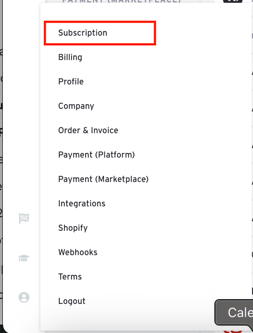
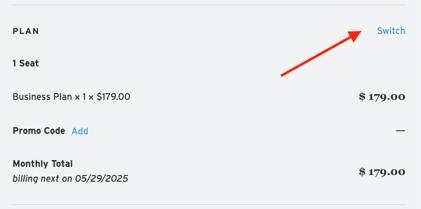
2. Choose the plan you'd like to upgrade to. Be sure to select either a Monthly or Annual plan.
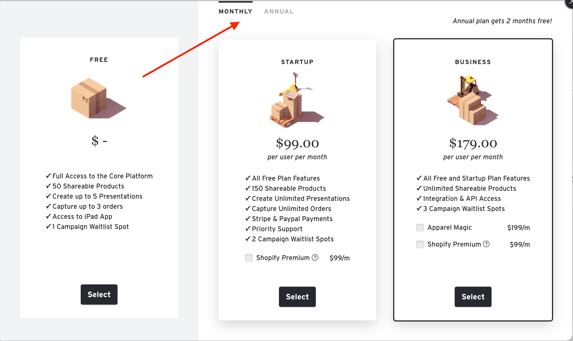
3. Click the "Save and Pay" button to finalize your upgrade.

Related Articles: